Sophie’s Flock of Birds has Flown and a Reminder about Categories

Sophie’s Flock of Birds has Flown and a Reminder about Categories

I mailed my Bird blocks at the end of the day yesterday to the lucky winners.  I am looking forward to see what you make from these fun blocks. As a reminder, when you post about mailing your blocks to the winners or receiving the blocks you’ve won, select the category sent and received.  The tag should be the same tag designated for the blocks. If you incorrectly check the category blocks–which should only be used for posting photos...

Read More

Google Reader Dilemma

Google Reader users everywhere are looking at the alternatives.  Three popular choices are: Feedly The Old Reader  (based on an old version of Google Reader) Bloglovin’ I’m personally playing with Feedly (on my computer and my iPad/iPhone) but I’m looking at these others, too, since there’s time to look around before Google Reader goes away. Here’s the link that Bloglovin’ requires in order to “claim...

Read More

An Update to Weekend Update

I’ve changed the days that the Linky Tool on the Weekend Update posts will be active to keep it open through Monday (US Mountain Time). So, the Weekend Update will post on Friday, with the Linky Tool active Friday-through-Monday.

Read More

Using the Linky Tool (for Weekend Update)

Using the Linky Tool (for Weekend Update)

At the bottom of the Weekend Update post, you’ll see: You are next… Click here to enter  When you click the blue text, this Linky Tools form will appear. To complete the form: 1. Enter the URL of the specific blog post you want to share as your weekend update.  The URL for my blog is http://sophiejunction.blogspot.com But I need to refer to a single blog post, and so the full URL...

Read More

Categories for Discussion: Block Lotto Community and (new) My Sampler

Categories for Discussion: Block Lotto Community and (new) My Sampler

I don’t know how many of you are making (or maybe even finished) your own sampler quilt from lotto blocks … or if you considering making a sample from this year’s rectangular blocks. I thought it might be nice to have a place to talk about our sampler ideas and support one another and so I have created the new category My Sampler. Or maybe *I* just need some support to finish a couple Block Lotto samplers in progress and help...

Read More

A Tip about Comments

A Tip about Comments

If you are logged in on the site before you leave a comment, you’ll see the form on the right–with your display name, instead of mine.  You won’t have to enter any additional info, just your comment. Your comment will be displayed immediately. If you are NOT logged into blocklotto.com when you leave a comment, you’ll see the form below, which requires you to enter you name, email and (optional) website before making your...

Read More

Why Categories Matter and How to Change Them

Why Categories Matter and How to Change Them

Categories are more than just a way to group posts.  The site uses them to define navigation areas, like Gallery and Help, and to pull in photos into the relevant areas of our Home page.  Featured photos from posts in the category  show and tell will be displayed in the slider at the top of the page. And the three most recent photos posted with the category blocks show up in the Recent Work section in the middle of the home page.  Since...

Read More

Why aren’t my blocks in the Virtual Quilt?

Why aren’t my blocks in the Virtual Quilt?

I  really DO appreciate when quilters who receive the sneak peek email find the time to make early blocks and send me photos.   And I know that after you make that effort, it’s frustrating if you don’t see your blocks in the virtual quilt that’s made from those photos. There are the four most common reasons why your blocks may not be included in the virtual quilt–as you can see, it’s all about me I misplace your...

Read More

There’s an App for That

There’s an App for That

Did you know there is a WordPress app for blogging? If you take block photos with your phone or use a tablet, you might want to check it out. I decided to test it out on the Guild Bus to the Dallas Quilt Show . . . In case you are wondering about the photo. It’s a cold, rainy day–I am glad someone else is doing the...

Read More

A reminder about Categories and Tags

A reminder about Categories and Tags

When you are posting your “I’ve sent your blocks” or “I’ve received your blocks” messages, be sure to choose the Category “sent and received.”  Since these posts generally do not have photos attached, you need to un-check the category “blocks”–which is used for post with block photos and adds a photo to the home page “recent work” section. Blocks is the default...

Read More

Where Do I Send My Blocks?

As a reminder of how things work. After the winners are randomly chosen, there are a few steps that happen before I can email everyone the mailing info: I email them, asking them to confirm that the name and address i have for them are current, correct and correctly formatted.  I also ask them how many of their own blocks they’d like to keep for themselves and send to the other winners. Each winner replies to my email. Winners must reply...

Read More

How to Post

How to Post

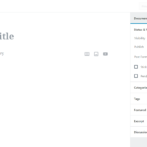
Follow along as I show you how our fictional tester “Jane.Doe” posted the Example Post. After you Login, the WordPress dashboard will be displayed.  In the left column, you’ll see these navigation options. Choose Posts > Add New. Your screen should look like this. Enter a title for your blog post and the text message. Position the cursor in the place you want to insert your photo. Then click the Upload/insert multimedia...

Read More

Switch to our mobile site